Top CCTV Options for Office CCTV Solutions
Security remains a top priority for businesses and industrial facilities in Singapore. Protecting assets, employees, and sensitive information requires reliable surveillance systems. I focus on the best office CCTV solutions that combine advanced technology with practical features. This guide covers key options, storage considerations, and installation tips to help you make informed decisions.
Understanding Office CCTV Solutions
Choosing the right office CCTV solutions involves evaluating your security needs and the environment. Offices vary in size, layout, and risk factors. Some require indoor monitoring only, while others need coverage of parking lots, entrances, and loading bays.
Key factors to consider:
Resolution: Higher resolution cameras provide clearer images, essential for identifying faces and incidents.
Field of View: Wide-angle lenses cover larger areas but may reduce detail.
Night Vision: Infrared or low-light cameras ensure 24/7 surveillance.
Connectivity: Wired systems offer stability; wireless systems provide flexibility.
Integration: Compatibility with alarms, access control, and mobile apps enhances security management.
For example, a mid-sized office might install a mix of fixed and PTZ (pan-tilt-zoom) cameras to cover hallways and main entrances. Larger facilities often use networked IP cameras for scalable monitoring.

Types of CCTV Cameras Suitable for Offices
Several camera types fit different office security needs. Understanding their strengths helps tailor your system.
Dome Cameras
Compact and discreet, dome cameras suit indoor use. Their design deters tampering and allows flexible mounting on ceilings or walls.
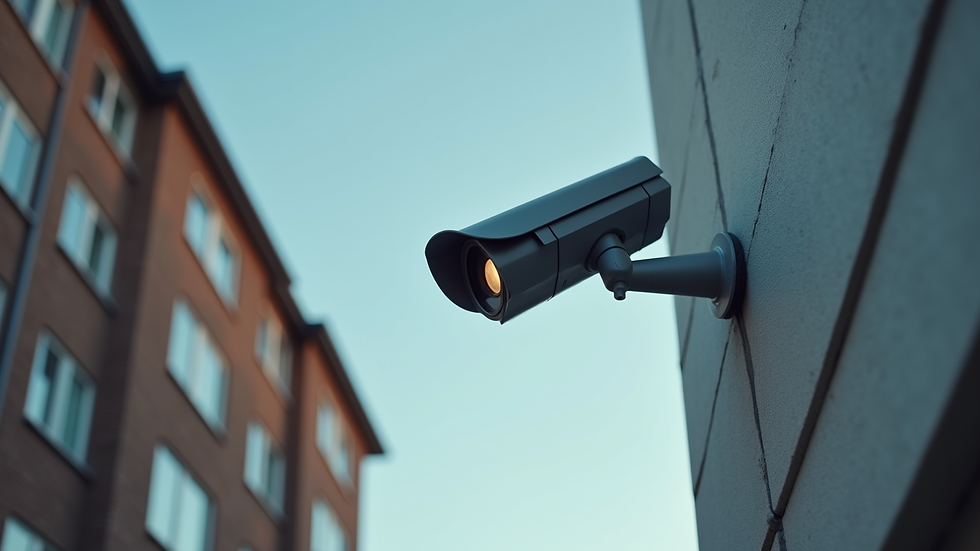
Bullet Cameras
These are ideal for outdoor areas like parking lots or building perimeters. Their long-range lenses capture detailed images at a distance.
PTZ Cameras
PTZ cameras offer remote control to pan, tilt, and zoom. They are useful for monitoring large spaces or tracking moving subjects.
IP Cameras
Internet Protocol cameras transmit video over networks. They support high resolution and remote access, making them popular for modern office setups.
Thermal Cameras
Thermal imaging detects heat signatures, useful for low-light or no-light conditions. They add an extra layer of security in sensitive areas.
Each camera type can be combined to create a comprehensive surveillance system. For instance, dome cameras inside the office and bullet cameras outside provide balanced coverage.
How Long Will 1TB Last on CCTV?
Storage capacity is a critical consideration for CCTV systems. The duration 1TB of storage lasts depends on several factors:
Video Resolution: Higher resolution consumes more storage.
Frame Rate: More frames per second increase data size.
Compression Technology: Modern codecs like H.265 reduce file size without losing quality.
Number of Cameras: More cameras generate more footage.
Recording Mode: Continuous recording uses more space than motion-triggered recording.
To illustrate, a single 1080p camera recording continuously at 30fps with H.264 compression uses about 60GB per day. This means 1TB lasts roughly 16 days. Using motion detection can extend this period significantly.
For multi-camera setups common in offices, 1TB might only cover a few days of footage. Therefore, businesses often invest in larger storage or cloud backup solutions to maintain longer archives.
Installation Best Practices for Office CCTV
Proper installation maximizes the effectiveness of your CCTV system. Here are essential tips:
Position Cameras Strategically: Cover all entry points, reception areas, and critical assets. Avoid blind spots.
Height and Angle: Mount cameras high enough to prevent tampering but angled to capture faces and activities clearly.
Lighting Conditions: Ensure cameras have adequate lighting or night vision capabilities.
Cable Management: Conceal wiring to prevent damage and maintain aesthetics.
Network Security: Secure IP cameras with strong passwords and encryption to prevent hacking.
Regular Maintenance: Clean lenses and check system functionality periodically.
Professional installation ensures compliance with local regulations and optimizes system performance. It also helps integrate the CCTV system with other security measures.

Enhancing Security with Smart Features
Modern office CCTV solutions incorporate smart technology to improve security and usability.
AI-Based Analytics: Detect unusual behavior, loitering, or unauthorized access automatically.
Facial Recognition: Identify employees and visitors for access control.
Mobile Alerts: Receive real-time notifications on smartphones for immediate response.
Cloud Storage: Secure off-site backup protects footage from physical damage or theft.
Integration with Access Control: Synchronize cameras with door locks and alarms for comprehensive security.
These features reduce the need for constant monitoring and enable proactive security management. They also support compliance with data protection laws by controlling access to video footage.
Choosing the Right CCTV for Office Needs
Selecting the best CCTV system depends on your specific requirements and budget. I recommend:
Conducting a thorough security assessment.
Prioritizing cameras with high resolution and night vision.
Opting for scalable IP-based systems for future expansion.
Considering cloud or hybrid storage solutions.
Engaging professional installers for optimal setup.
For businesses in Singapore, partnering with a trusted security provider ensures access to the latest technology and local expertise. This approach aligns with Zectech Pte Ltd’s goal to deliver smart, future-proof security systems.
For more detailed options and tailored advice, explore cctv for office solutions that meet your operational needs.
Future-Proofing Your Office Security
Security technology evolves rapidly. To keep your office protected:
Regularly update firmware and software.
Upgrade cameras to support higher resolutions and AI features.
Expand your system as your business grows.
Train staff on security protocols and system use.
Investing in adaptable CCTV solutions ensures long-term protection and peace of mind. It also supports compliance with evolving regulations and industry standards.
Implementing the right office CCTV solutions is essential for safeguarding your business assets. By understanding camera types, storage needs, installation best practices, and smart features, you can build a robust security system tailored to your environment. Stay proactive and future-ready with technology that protects what matters most.


Comments